

Take payments faster at your events and office with the GrowthZone Pay App, complete with point-of-sale (POS) functionality. It simplifies how you accept and manage money by connecting directly to your GrowthZone AMS platform. This means you can process payments on the spot and see the data instantly in your member records, with no extra steps.
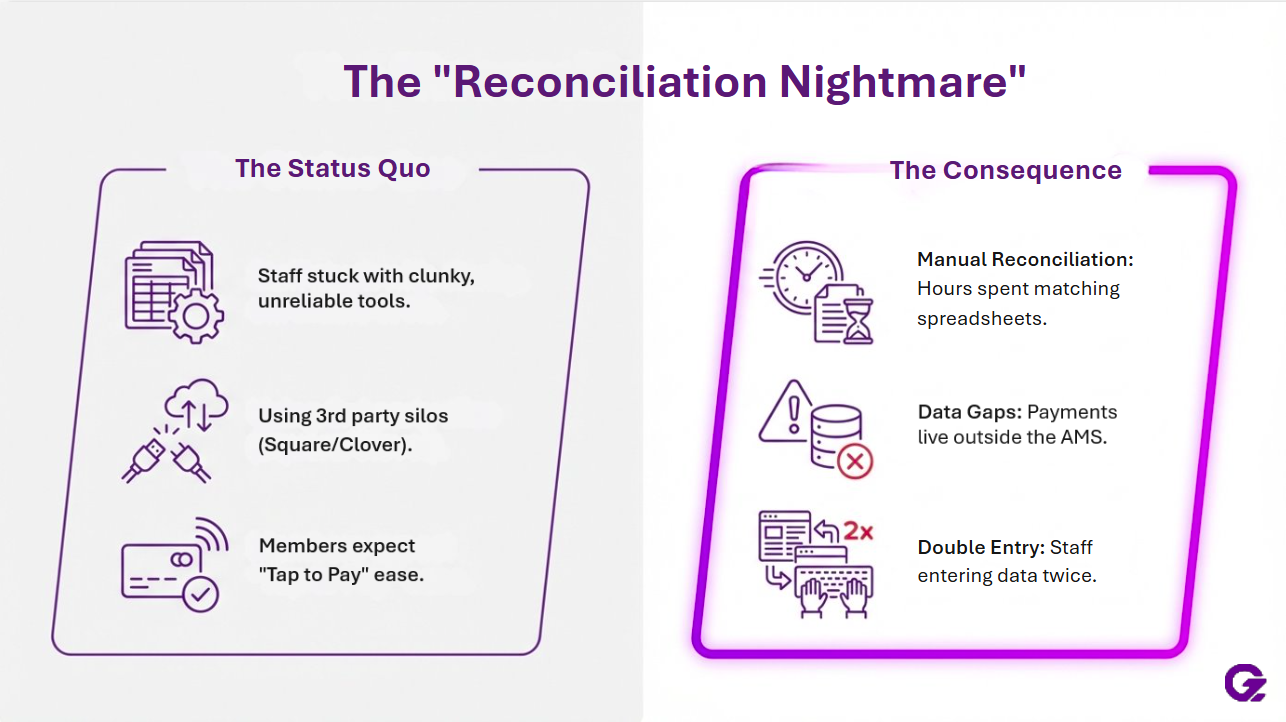
Say Goodbye to Manual Payment Headaches
Your members expect easy, modern ways to pay. Whether it's for annual dues, event tickets, or a last-minute sponsorship, they want a smooth transaction. Meanwhile, your staff is often stuck with the aftermath: manually entering data, reconciling separate reports, and chasing down payments after an event has ended. This process is time-consuming and can lead to errors.
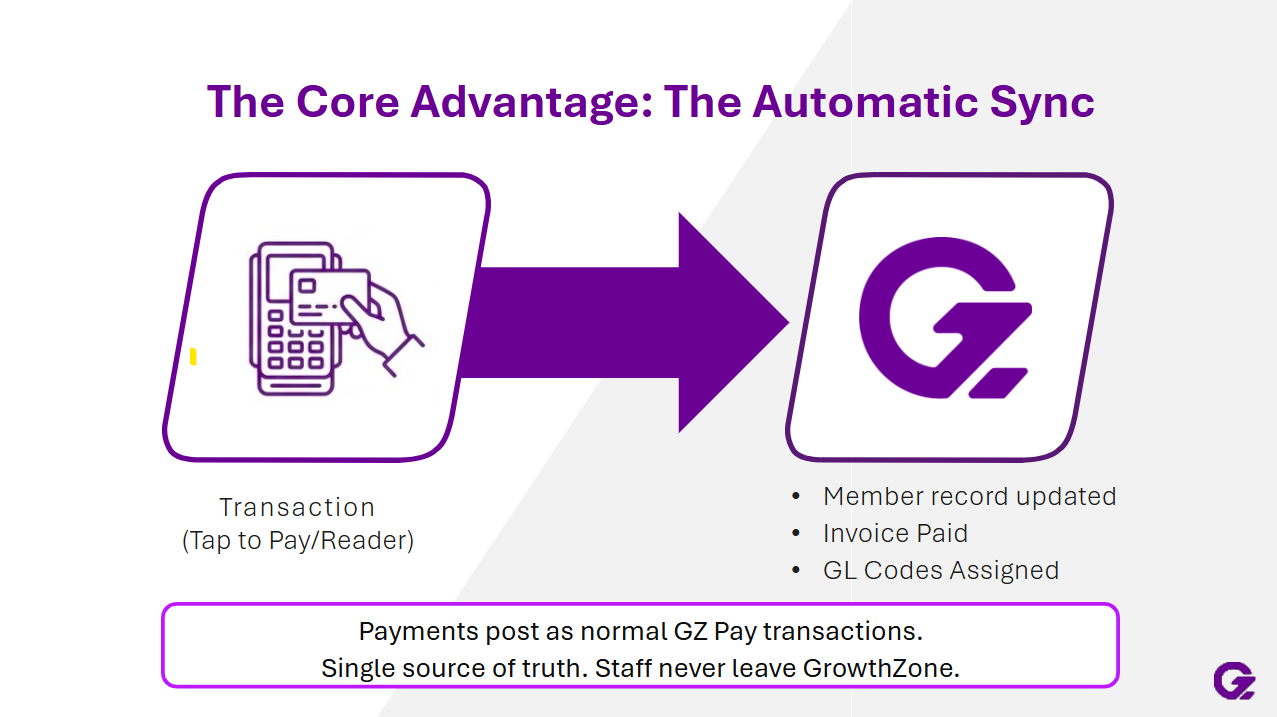
The new GrowthZone Pay App was built to solve this exact problem. It lets you accept payments anywhere—at the registration desk, on the golf course, or at your front office. The best part? Every single payment is recorded directly and automatically into your GrowthZone AMS. There’s no need to import files or match up transactions from different systems.
You can now automate the work, connect the data, and give members a reason to log in—all in one AMS built for associations and chambers.
One App for All Your In-Person Payment Needs
Created with the specific jobs of association and chamber staff in mind, this app isn't a generic tool for coffee shops or farmers' markets. It's a powerhouse solution tailored for member-based organizations like yours
Run Event Check-In with Ease
Event days can be hectic. The GZ Pay App POS helps bring order to the chaos of registration and check-in.
- Look up attendees quickly: Find them by name to check in. You can see their registration details and extra items they bought.
- Take payments on the spot: Does an attendee have an outstanding balance? You can look up their open invoices and collect payments right there with a few taps. No more sending them a bill later or making them wait in another line.
-
- Keep your place: The app remembers your search filters as you move from one person to the next, saving you from re-typing information and speeding up the line.
Sell Items and Services from Anywhere
The app also functions as a powerful POS system. You can create and sell pre-defined items on the fly. This is perfect for selling merchandise, extra drink tickets, or last-minute sponsorships at your events. Simply select the item, choose the quantity, and take the payment. You can also link the purchase to a contact record and send a digital receipt.
Why an Integrated POS App Beats Third-Party Readers
Choosing the right POS system matters, especially when your staff already juggles dozens of tasks. Third-party readers like Square or Clover work well for basic payments, but they often create more hassle for associations. With those tools, payments happen outside your AMS, meaning your team must enter data by hand or download reports after every event. It’s easy to miss payments or make errors when merging this information into your member records.
The GrowthZone Pay App POS offers a unique experience. Transactions post directly into the member database. No extra portals to manage, no manual exports, and no risk of lost payments or mismatched data. Your reports show the full picture, including which members paid, what they bought, and how those purchases tie into events or dues. That saves you real time—especially after busy fundraisers or conferences.
Integrated workflows mean new payments appear instantly in financial reports and dashboards. With generic tools, you can end up spending hours or even days reconciling transactions. GrowthZone Pay App lets you move on with your day, knowing records match up and your data stays clean. For organizations built around membership and events, this level of synchronization makes a noticeable difference.
Other payment solutions exist, but they often create more work. Generic processors like Square or PayPal don’t sync with your member database. This leaves your team with the tedious task of manual data entry. Some association management systems offer integrated payments, but they might require you to use separate portals for reporting and refunds, creating a fragmented experience.
The GZ Pay App is the only POS solution that records payments directly into your GrowthZone AMS. This is the key difference that eliminates manual reconciliation for good.
Here’s what makes it stand out:
- Built for Your Workflows: The app is designed for member-focused tasks, not for general retail.
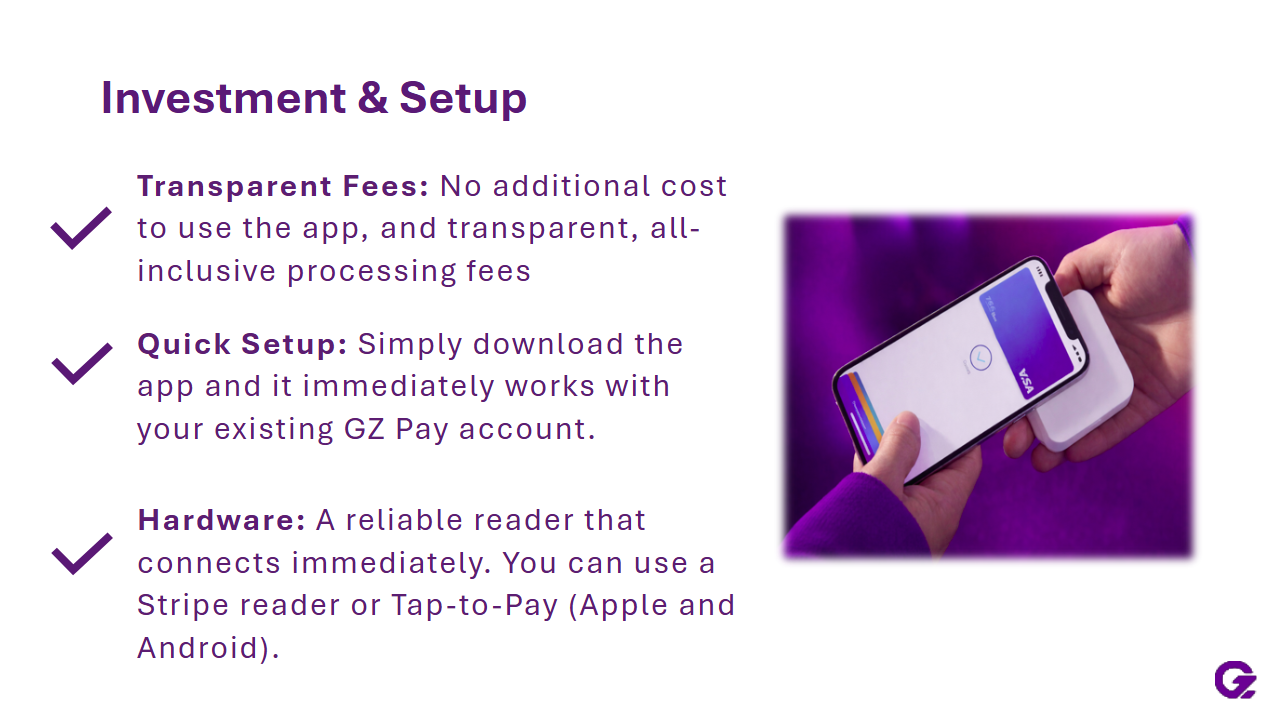
- Reliable Hardware: Use the trusted, fully compatible Stripe M2 card reader for tap, chip, and swipe payments. Or, if you have a compatible iPhone, you can use Tap to Pay without any extra hardware.
- Clear, All-Inclusive Pricing: With GrowthZone Pay, you get transparent pricing. There are no hidden setup fees, gateway charges, or PCI compliance costs.
- Seamless Integration: Since payments post directly to GrowthZone, member records, event data, and financial reports are always in sync and up to date.
Begin Accepting Payments with the GrowthZone Pay App
Getting started with the GrowthZone Pay App is simple. The app works exclusively with GrowthZone Pay, the platform’s native payment processor built on the trusted Stripe platform.
Here's what you need to know:
- Platform: The GZ Pay App is now available for all GrowthZone AMS customers.
- Device Compatibility: Use the app on supported Apple and Android devices. For card-present payments, you can use the dependable M2 card reader or Tap to Pay on compatible mobile devices.
- Availability: The app is currently available for our US-based customers to process payments in USD.
Ready to spend less time managing payments and more time engaging your members? The GrowthZone Pay App is here to help you get paid faster, simplify your event management, and keep your data perfectly in sync. It’s the payment solution your organization has been waiting for.
Frequently Asked Questions (FAQs)
Which product(s) offer the GZ Pay App POS?
Only GrowthZone AMS is integrated so far with the GZ Pay App POS. The app is not available for other platforms currently, but we are working on that!
How do I get started with the GZ Pay App?
To get started, make sure you are a GrowthZone AMS customer and have GrowthZone Pay enabled as your organization’s payment processor. Download the GrowthZone Pay App on your supported device (available for both Apple and Androids). Order the M2 reader directly from Stripe, if needed, and log into the app with your GrowthZone credentials. Remember, you can use Tap to Pay for payment collection, so you don’t need to wait for a reader to discover the value of this app today. Begin accepting payments right away, with all transactions syncing directly into your AMS.
